You may have noticed that your Grid View extension disappeared today in Google Meets. Due to a large number of known issues with Grid View, we have removed the extension where it was installed by us. If you installed it yourself it should remain. If you do not wish to continue to use it, please reference these instructions for how to remote the Grid View extension. If you wish to continue to use it, you are welcome to do so, provided it works well for you. If it was removed and you wish to install it, follow these instructions to install Grid View.
The Tile View in Google Meet will be expanding from viewing 16 people at once to viewing up to 46 people at once in the coming weeks.
Showing posts with label extension. Show all posts
Showing posts with label extension. Show all posts
Wednesday, June 24, 2020
Tuesday, June 2, 2020
Updated GridView Extension Available
A new version of the GridView Chrome extension has been released. The current version is 1.35. You should get the latest version automatically. If you haven’t already received the update and want to manually update, please view these instructions.
Previously ITS had reported a fix for the removal of more than one GridView extension. We have been made aware that some users are still experiencing issues after removing the second extension. This is, because you may need to clear your cache after you uninstall the extension. Please refer to this article for further assistance with clearing your cache.
Previously ITS had reported a fix for the removal of more than one GridView extension. We have been made aware that some users are still experiencing issues after removing the second extension. This is, because you may need to clear your cache after you uninstall the extension. Please refer to this article for further assistance with clearing your cache.

Friday, May 29, 2020
GridView Issue Update
ITS has been monitoring the Google Meet GridView extension problem. At this point we have identified the main problem being that some users have more than one GridView extension installed. Please reference these instructions for how to remove the second extension.
This double extension can be caused if you are using different gmail accounts. ITS recommends that you use Chrome profiles to prevent this from happening. Chrome profiles help to keep all of your different gmail accounts and apps separate. For more information about managing profiles please refer to the below links.
Managing People on Chrome Accounts in Mac OS X
Managing People on Chrome Accounts in Windows
Users have also reported having issues viewing all the participants of a meeting during the meet. This could be because the GridView has many different viewing settings and needs to be tailored to the users viewing needs. For more information about the viewing features of the GridView check out this article.
This double extension can be caused if you are using different gmail accounts. ITS recommends that you use Chrome profiles to prevent this from happening. Chrome profiles help to keep all of your different gmail accounts and apps separate. For more information about managing profiles please refer to the below links.
Managing People on Chrome Accounts in Mac OS X
Managing People on Chrome Accounts in Windows
Users have also reported having issues viewing all the participants of a meeting during the meet. This could be because the GridView has many different viewing settings and needs to be tailored to the users viewing needs. For more information about the viewing features of the GridView check out this article.
Monday, April 20, 2020
New Version of Chrome Grid View
A new version of the GridView extension for Google Meet has been released.
This is because Google has released a new version of the GridView which can be downloaded from here.
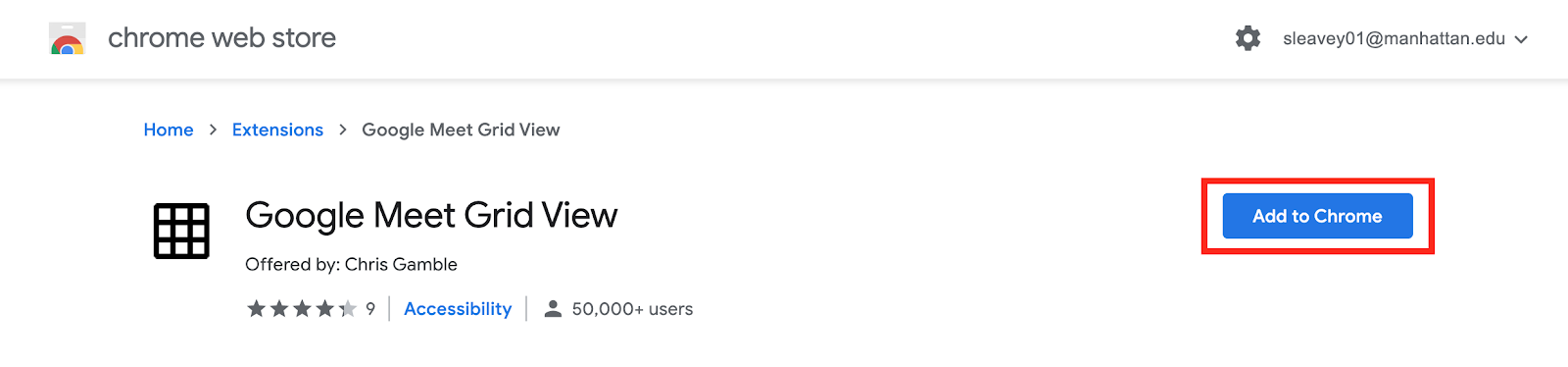
You will need to select “Add to Chrome” and then a window will appear asking your permission to add the extension, select “Add extension”.
1.
2.

Once you have added this extension you will have the most up to date version of GridView.
Subscribe to:
Posts (Atom)