Showing posts with label survey. Show all posts
Showing posts with label survey. Show all posts
Monday, November 30, 2020
Wednesday, May 13, 2020
Remote Working and Learning Feedback Needed!
As we have come to the end of a historical semester, ITS needs your feedback!
ITS is evaluating our services and response to the 2020 COVID-19 pandemic in relation to the transition to online working and learning. We have specifically designed a survey for students, professors, and administration/staff to fill out.
If you fall into more than one of these categories, please fill out the correct surveys based on your roles. For example, if you are admin/staff but also took a class this semester you would fill out the Admin/Staff AND the Student survey.
These surveys are anonymous and ITS encourages you to please fill them out as thoroughly and honestly as you can.
Please note that you must be signed into your @manhattan.edu account to access the surveys.
Student Survey
Professor Survey
Admin/Staff Survey

Tuesday, January 21, 2020
Your Feedback Is Needed!
As another semester beings, we need your help! We are evaluating how certain services and products benefit the Manhattan College community or could bring value to a particular classroom/computer lab. Please help us by completing the following surveys. Each one will only take 5 minutes or less and your feedback is valued.
Web Print (powered by PaperCut) is a web-based printing service that allows quick printing on campus from your own laptop to any public computer lab printer without the need to install any software. ITS has taken the initiative to implement Web Print in the following computer labs:
DLS - 309, 314
LEO - 102
OMAL - 1FL, 206, 410, 506, Kiosk
RLC - 102, 103, 104, 105, 107, 208
Google Jamboard is a digital whiteboard that can be used by students, professors and staff. It has a range of features from digital whiteboard to remote collaboration to video conferencing and more. ITS introduced them on campus during Summer of 2017 and they are currently located in:
O'Malley - 401
Leo Student Study Space- (4 Jamboards available for use)
Leo Center for Academic Success
Smart classrooms are defined as rooms that have the latest technology standard in place.
Customer satisfaction is very important to us. We value your feedback and would like to hear about your overall experience with ITS.
Web Print (powered by PaperCut) is a web-based printing service that allows quick printing on campus from your own laptop to any public computer lab printer without the need to install any software. ITS has taken the initiative to implement Web Print in the following computer labs:
DLS - 309, 314
LEO - 102
OMAL - 1FL, 206, 410, 506, Kiosk
RLC - 102, 103, 104, 105, 107, 208
Please take this 2-3 minute survey to tell us about your experience with Web Print and help us learn more about how we can improve this service.
Google Jamboard is a digital whiteboard that can be used by students, professors and staff. It has a range of features from digital whiteboard to remote collaboration to video conferencing and more. ITS introduced them on campus during Summer of 2017 and they are currently located in:
O'Malley - 401
Leo Student Study Space- (4 Jamboards available for use)
Leo Center for Academic Success
Please take this 4-5 minute survey to tell us about your experience with Google Jamboard and help us learn more about where, when, why and how you are using it.
Smart classrooms are defined as rooms that have the latest technology standard in place.
Please take this 4-5 minute survey to tell us about your experience with classroom technology and help us learn more about where, when, why and how you are using it.
Customer satisfaction is very important to us. We value your feedback and would like to hear about your overall experience with ITS.
Please take this 1-2 minute survey to tell us about your most recent experience with ITS
Thursday, December 5, 2019
Your Feedback is Needed!
As another semester comes to an end we need your help! We are evaluating how certain services and products benefit the Manhattan College community or could bring value to a particular classroom/computer lab. Please help us by completing the following surveys. Each one will only take 5 minutes or less and your feedback is valued.
Web Print (powered by PaperCut) is a web-based printing service that allows quick printing on campus from your own laptop to any public computer lab printer without the need to install any software. ITS has taken the initiative to implement Web Print in the following computer labs:
DLS - 309, 314
LEO - 102
OMAL - 1FL, 206, 410, 506, Kiosk
RLC - 102, 103, 104, 105, 107, 208
Google Jamboard is a digital whiteboard that can be used by students, professors and staff. It has a range of features from digital whiteboard to remote collaboration to video conferencing and more. ITS introduced them on campus during Summer of 2017 and they are currently located in:
O'Malley - 401
Leo Student Study Space- (4 Jamboards available for use)
Leo Center for Academic Success
Smart classrooms are defined as rooms that have the latest technology standard in place.
Customer satisfaction is very important to us. We value your feedback and would like to hear about your overall experience with ITS.
Web Print (powered by PaperCut) is a web-based printing service that allows quick printing on campus from your own laptop to any public computer lab printer without the need to install any software. ITS has taken the initiative to implement Web Print in the following computer labs:
DLS - 309, 314
LEO - 102
OMAL - 1FL, 206, 410, 506, Kiosk
RLC - 102, 103, 104, 105, 107, 208
Please take this 2-3 minute survey to tell us about your experience with Web Print and help us learn more about how we can improve this service.
Google Jamboard is a digital whiteboard that can be used by students, professors and staff. It has a range of features from digital whiteboard to remote collaboration to video conferencing and more. ITS introduced them on campus during Summer of 2017 and they are currently located in:
O'Malley - 401
Leo Student Study Space- (4 Jamboards available for use)
Leo Center for Academic Success
Please take this 4-5 minute survey to tell us about your experience with Google Jamboard and help us learn more about where, when, why and how you are using it.
Smart classrooms are defined as rooms that have the latest technology standard in place.
Please take this 4-5 minute survey to tell us about your experience with classroom technology and help us learn more about where, when, why and how you are using it.
Customer satisfaction is very important to us. We value your feedback and would like to hear about your overall experience with ITS.
Please take this 1-2 minute survey to tell us about your experience with ITS for the Fall 2019 semester.
Sunday, July 7, 2019
Google Summer Collaboration Challenge Week 6
Google Forms
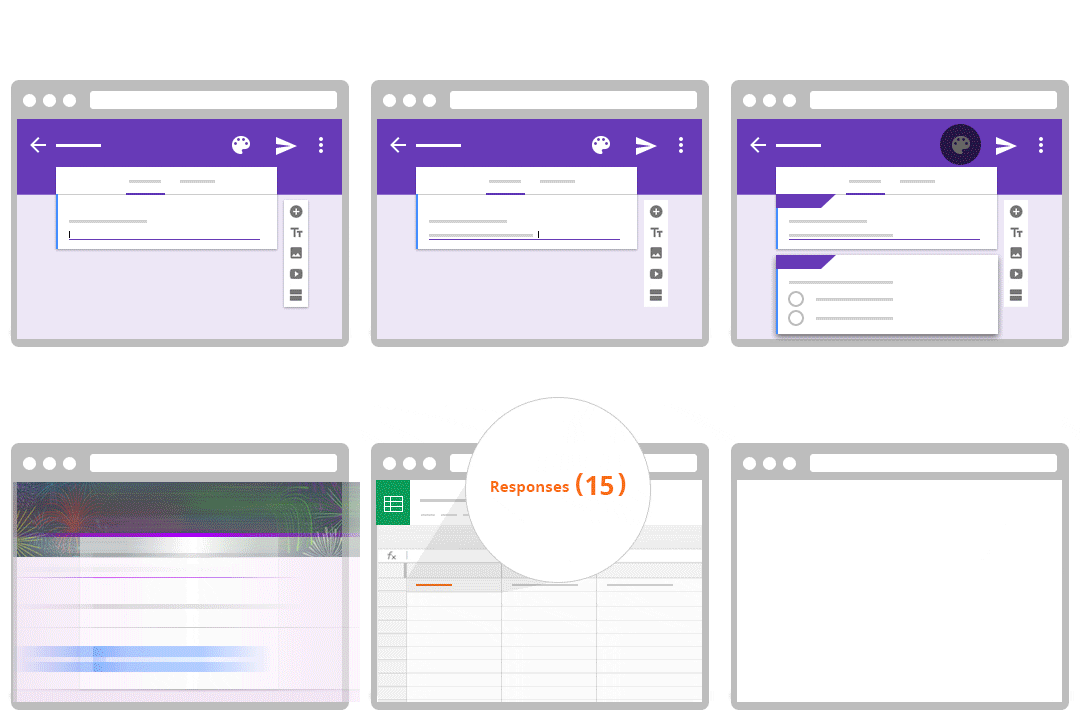
Getting Started with Google Forms
To get started, head to forms.google.com and select Blank. This will provide you with an empty canvas that you can begin to fill with questions. Note that you have many templates that you can choose from. For further instructions, please complete this tutorial for creating a Google Form.
When responses are submitted, you will be sent an email notifying you that someone has completed your Form. You also have the ability with Google Forms to organize responses into a Google Sheets. This is especially useful when analyzing responses.
Assignment: Following the instructions in the tutorial, create a Google Form survey asking for a name and five multiple choice questions and have a friend take the survey.
Extra Credit: Have their name and responses sent to a Google Sheets.
Once you complete reviewing the materials from the seventh week of the Google Collaboration Challenge take a few minutes to answer these questions: Week 6 Google Drive Questionnaire
Monday, March 18, 2019
Week 4 Tech Showcase -Mail Merges Made Easy Using formMule
formMule
formMule is a free addon for Google Sheets that allows you to easily send mail merges. It utilizes tags which gathers data such as email lists and names and uses that to send a personalized or tagged emails.
It is a powerful tool that provides you with the ability to:
Another powerful application of formMule is to mail merge Google Form responses.
Please watch this video for additional help getting started with formMule:
- use auto-insert merge tags with the click of a button, making template-creation a breeze!
- use up to 10 different email templates based on specified send conditions.
- create unique case numbers on form submit for use in keying follow-ups
- grab and send form response edit URLs, and formulas copied down on form submit
- use custom spreadsheet functions RANGETOTABLE and RANGETOVERTICALTABLE which make it possible to merge tables of multiple, matching records into email bodies.
Another powerful application of formMule is to mail merge Google Form responses.
Please watch this video for additional help getting started with formMule:
For more information on formMule and how detailed instructions on how to use it, please visit this Knowledge Base Article on Mail Merging using formMule.
Please take this brief formMule for Mail Merges Survey to let us know what you think about formMule.
If you have additional questions about how to use formMule for mail merges please contact IT Services:
ITS@manhattan.edu or TEL: 718-862-7973
Please take this brief formMule for Mail Merges Survey to let us know what you think about formMule.
If you have additional questions about how to use formMule for mail merges please contact IT Services:
ITS@manhattan.edu or TEL: 718-862-7973
Monday, March 11, 2019
Week 3 Tech Showcase - Wireless Printing with Web Print
Web Print

You can find Web Print by searching "Web Print" in Quick Links.
Additional resources:
Converting Google App files to PDF
Printing wirelessly at Manhattan College using Web Print
Please take this brief Web Print survey to let us know what you think about Web Print.
If you have additional questions about how to use the Web Print please contact IT Services:
ITS@manhattan.edu or TEL: 718-862-7973
Converting Google App files to PDF
Printing wirelessly at Manhattan College using Web Print
Please take this brief Web Print survey to let us know what you think about Web Print.
If you have additional questions about how to use the Web Print please contact IT Services:
ITS@manhattan.edu or TEL: 718-862-7973
Sunday, February 24, 2019
ITS to Launch Virtual Technology Showcase
Virtual Technology Showcase at Manhattan College will commence for 12 Weeks
ITS will be releasing a Virtual Technology Showcase on the Manhattan College ITS Blog that will extend over the course of 12 weeks.
The objective of the Showcase is to familiarize the Manhattan College community with the technology found at the college as well as the initiatives started by Manhattan College IT Services. The blog posts will highlight the ways technology can improve your daily experience at the college.
Each topic consists of information and instructions regarding the technology for that week as well as a questionnaire at the end asking for various feedback.
Topics to be covered include:
- Kramer VIA GO Wireless Presentation (aka AirPlayV2)
- Crestron Multihead Connection
- Web Print Wireless Printing
- formMule Google Sheet Addon that allows you to easily send mail merges
- Jamboard a collaborative digital whiteboard
- Lynda.com
- Glance MC App
- G Suite Productivity Apps
- Badging: Digital Badges provide a way to showcase an accomplishment or skill
- LabSeat
- Google Hangouts Meet Hardware
- 25Live the college's room scheduling software
Sunday, July 8, 2018
Google Summer Collaboration Challenge Week 7

Google Forms
Google Forms is a useful feature that allows you to manage event registrations, create a quick opinion poll, and much more. With Google Forms, you can create and analyze surveys right in your mobile or web browser—no special software required. You get instant results as they come in. And, you can summarize survey results at a glance with charts and graphs.Getting Started with Google Forms
To get started, head to forms.google.com and select Blank. This will provide you with an empty canvas that you can begin to fill with questions. Note that you have many templates that you can choose from. For further instructions, please complete this tutorial for creating a Google Form.When responses are submitted, you will be sent an email notifying you that someone has completed your Form. You also have the ability with Google Forms to organize responses into a Google Sheets. This is especially useful when analyzing responses.
Assignment: Following the instructions in the tutorial, create a Google Form survey asking for a name and five multiple choice questions and have a friend take the survey.
Extra Credit: Have their name and responses sent to a Google Sheets.
Once you complete reviewing the materials from the seventh week of the Google Collaboration Challenge take a few minutes to answer these questions: Week 7 Google Drive Questionnaire
Subscribe to:
Posts (Atom)